
01Meet Tilt
A live dashboard for apps made of many little services
Tilt is an open-source toolkit for running microservices on your laptop or in Kubernetes.
One dashboard shows every service: what's building, what broke, and the logs that explain why. I joined as the founding designer and employee #8, turning what users and the business needed into changes we could ship, and helping shape the roadmap.

02The dream, rewound
Start at the north star, then rewind
The dream was a resource catalog: open Tilt, see every service you could run, all asleep, and wake only the ones you need. Too big for one go, so we rewound it to one button that puts one service to sleep, then built forward.
- Step 1Disable one service
- Step 2From every view
- Step 3A whole group at once
- Step 4Bulk, with checkboxes
- ★ North starThe resource catalog
Business goal: keep developers in Tilt for longer each session, instead of shutting it down.
03Making the case
Why this, why now
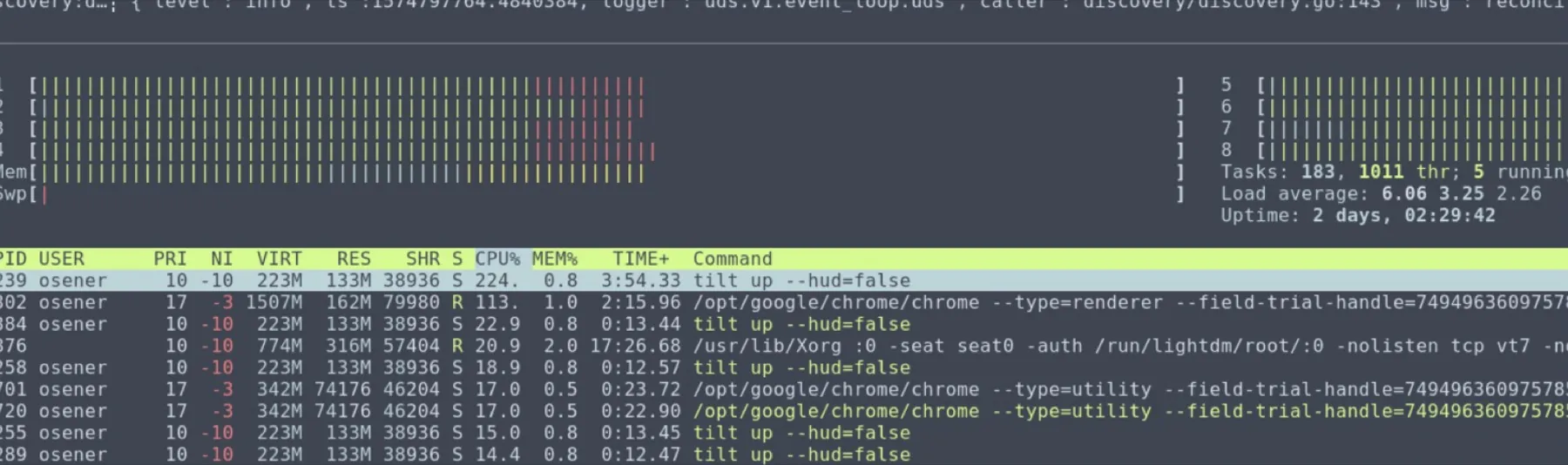
Nobody asked for a "disable button". I weighed four signals against everything else on our roadmap, and they all pointed the same way:
- Behaviorusers often ran
tilt down - Metricsheavy use of clunky
tilt args, in Grafana - Hack weekteam conversations
- Researchmy weekly user sessions
Tilt could slow the whole machine, even when you needed only a few services.
Hundreds of services, all reacting to every small change.
Cart to payments meant tilt down, then tilt up, every time.
Tilt said it in public, too"Many developers have far more resources defined in Tilt than they'd actually want to run at once." Tilt blog, Mar 2022 ↗
- I have a list of servers I can run, which may include 1,000+ servers. I need a way to browse the list of servers available to me.App developer
- My team may work on multiple features that use different subsets. I should be able to easily switch from one project to another.App developer
More quotes, workarounds and how I ran research
- "I frequently run a subset of those servers. Most people on my team run the same subset to iterate on a given feature."
- "I need to start a new server to make or verify a change, and stop it when I'm done."
- Workarounds: teams set up subsets by hand in the backend with
tilt args, and several built their own wrappers around it. Switching still meant restarting Tilt. Those wrappers taught us a lot about the ergonomics people wanted. - Research, the whole way through: weekly 1:1 sessions to validate designs against real use cases, findings shared in weekly design meetings, a look at other dev tools, and everything in Miro as a design↔dev guide for all Tilters.
04The hard part
What does "disable" even mean?
Before drawing a screen, I pinned down what each word would mean to users, and what it would mean technically.
| Action | Reverse | What happens |
|---|---|---|
| Stop | Start | Stopped, but still listens to Tilt |
| Pause | Restart | Paused; doesn't help manage resources |
| Disable | Enable | Stopped, and won't listen to changes |
| Mute | Unmute | Still runs, but won't surface changes |
| Kill | Rebuild | Sounds destructive, like deleting a service |
We also weighed Abort, Clear, Close and Cancel.
Define the behavior for each of the many states a service can be in.
How should it work with tilt args, and with tests set to auto or manual?
Off until you change it? Across sessions? After closing the browser? Lots of opinions 🙃
Many features in flight, so I balanced short-term fixes with long-term plans.
05Ideation
Three ways to get there
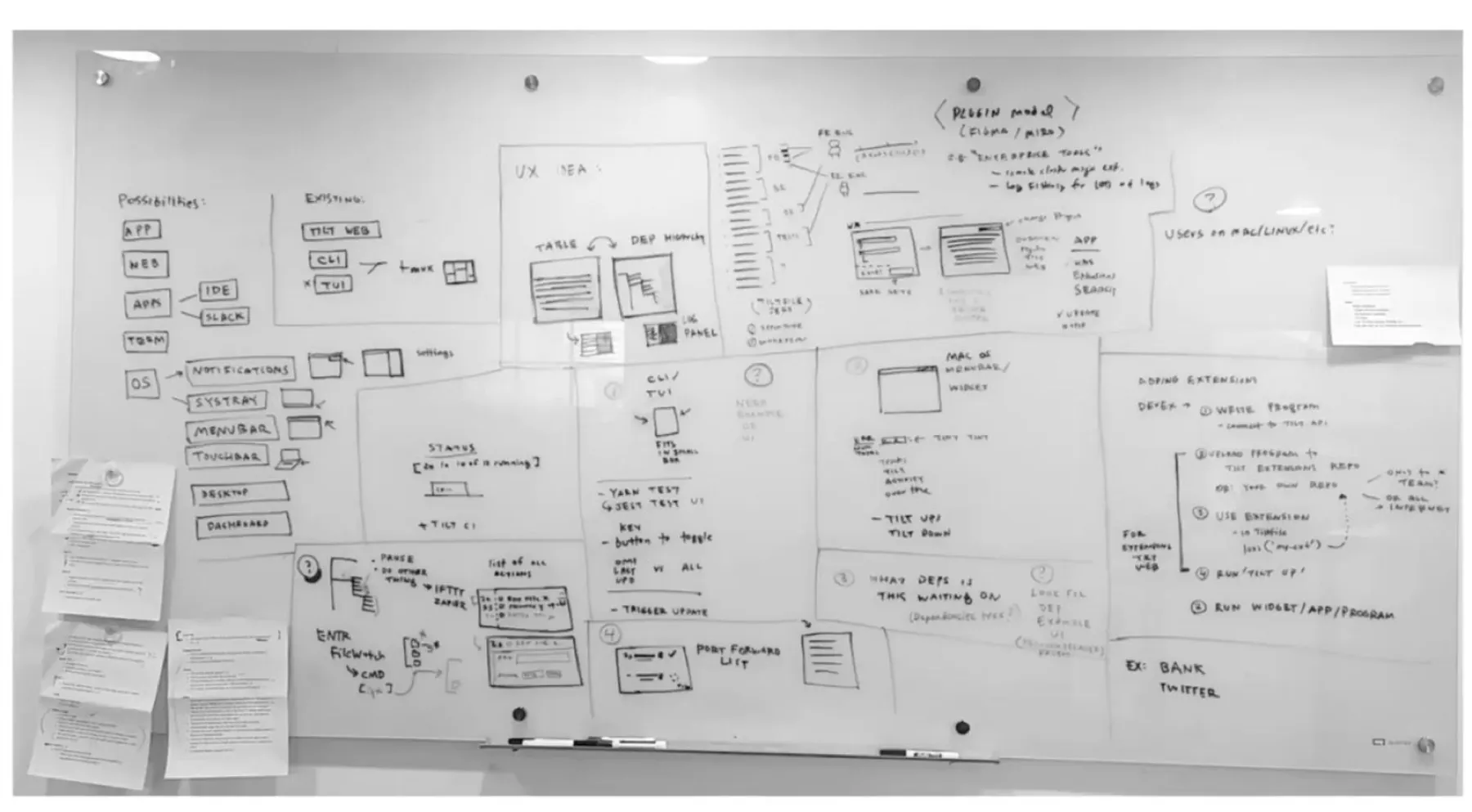
- Edit modeA separate view to choose which services are on, to focus on a few.
- Resource catalognorth starOpen Tilt to all services, disabled, and pick what to enable.
- Bulk by groupLabel services into groups and disable a whole group.
06Try it yourself
Go on, press the button
Here's a little recreation of Tilt's table view. Put a few services to sleep and watch the noise, and the laptop fan, calm down.
| Select | Resource name | Type | Status | Disable or enable |
|---|
A playful sketch, not the real product: the services are made up, and so are the CPU numbers.
07Shipping
Shipped in small, planned steps
To keep risk low, single-service disable went out behind a feature flag and was tested with users first. Each step set up the next.
1One service, one button
Before groups existed: disable from the detail view.

2From both views
Once grouping landed, the table view could do it too.
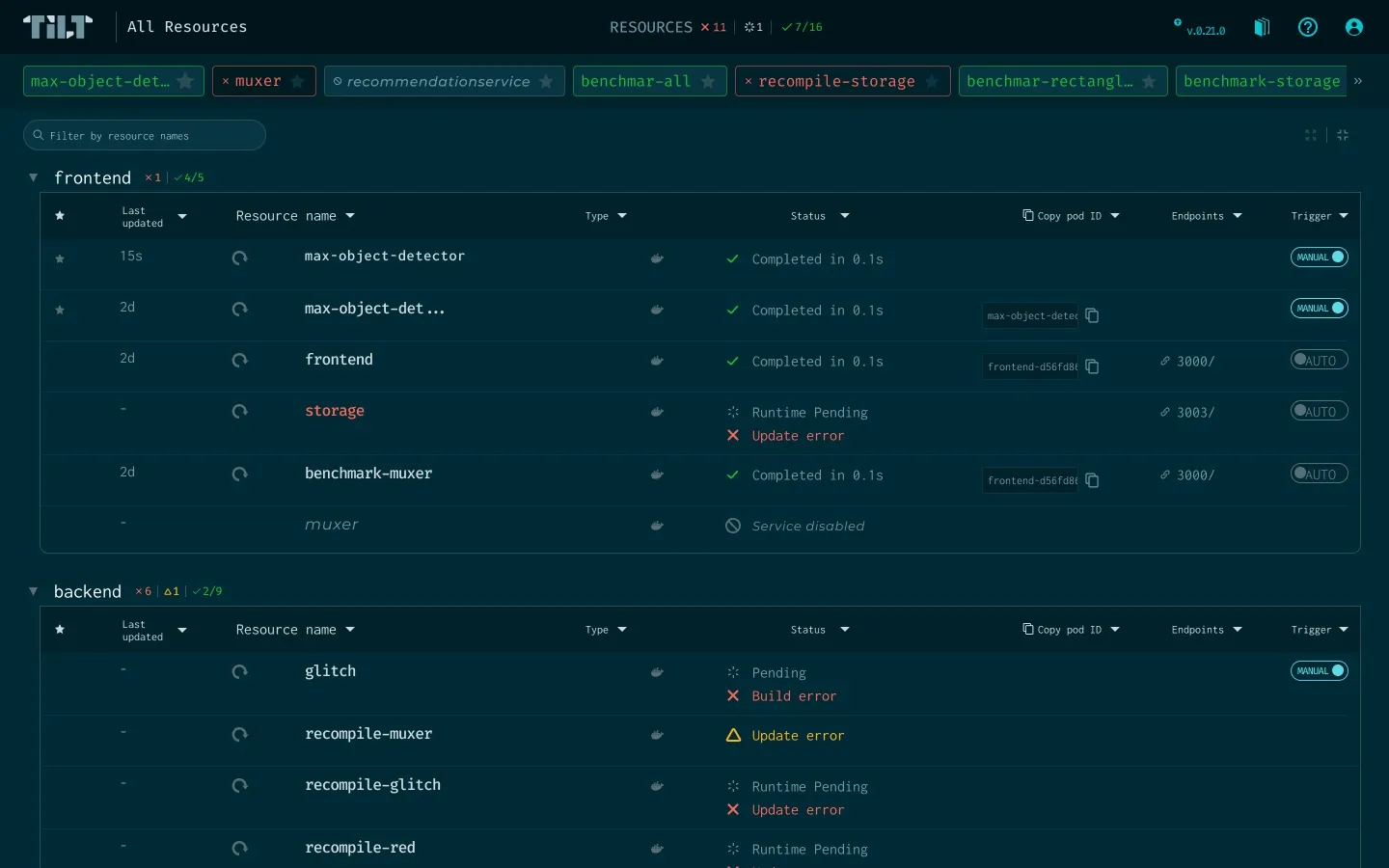
3A whole group at once
Disable or enable everything in a group, like frontend.
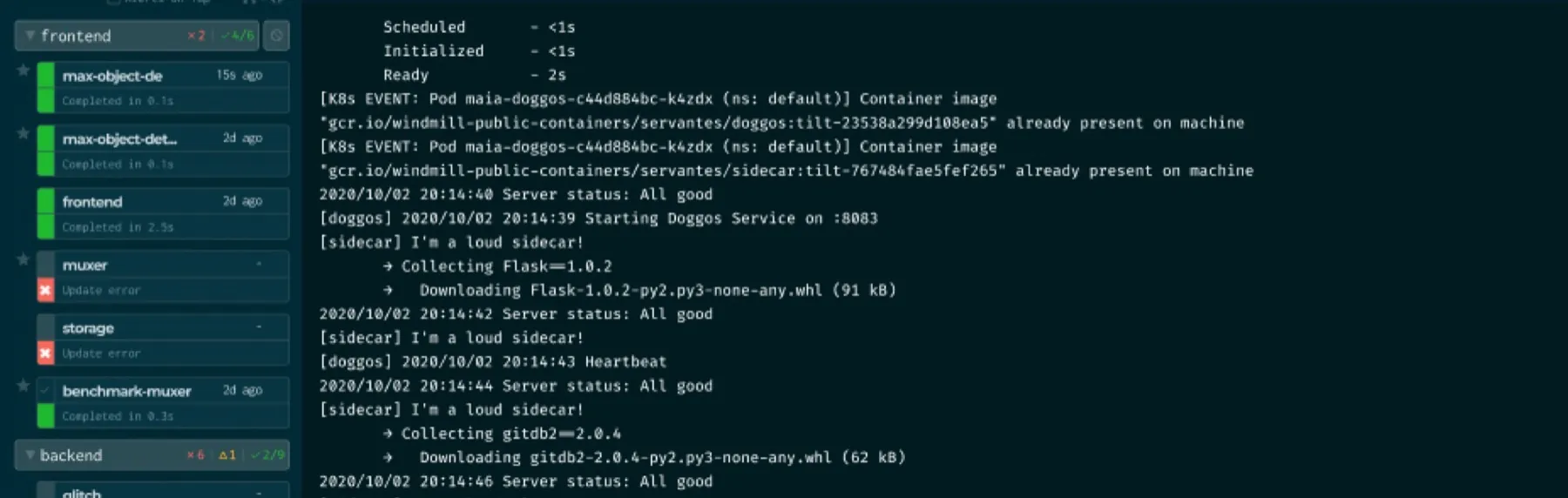
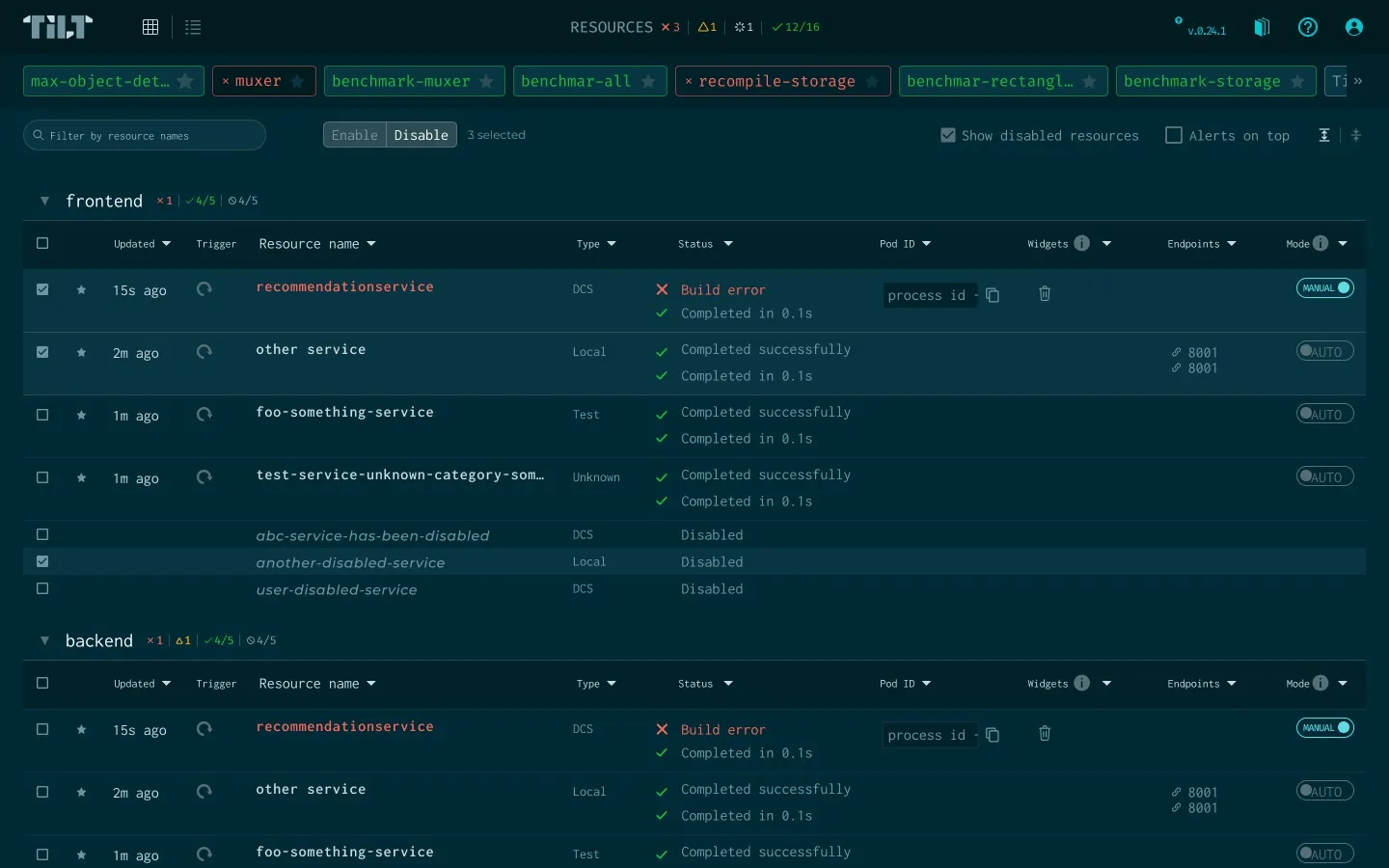
4Bulk, with checkboxes
The checkboxes were waiting in the table since the extensible UI. Now they act on many services at once.
- Behind a feature flag · PR #5085 ↗
- Bulk actions in the table view · PR #5405 ↗
- On for everyone in v0.24.0 · notes ↗
- Show / hide disabled in v0.25.0 · notes ↗
- On the Tilt blog · read ↗
08The details
The devil is in the details
One button touched almost every corner of Tilt.
A new icon and count in the summary bar, so you always know how many services are asleep.

Disabled services gather under "Disabled in this session".
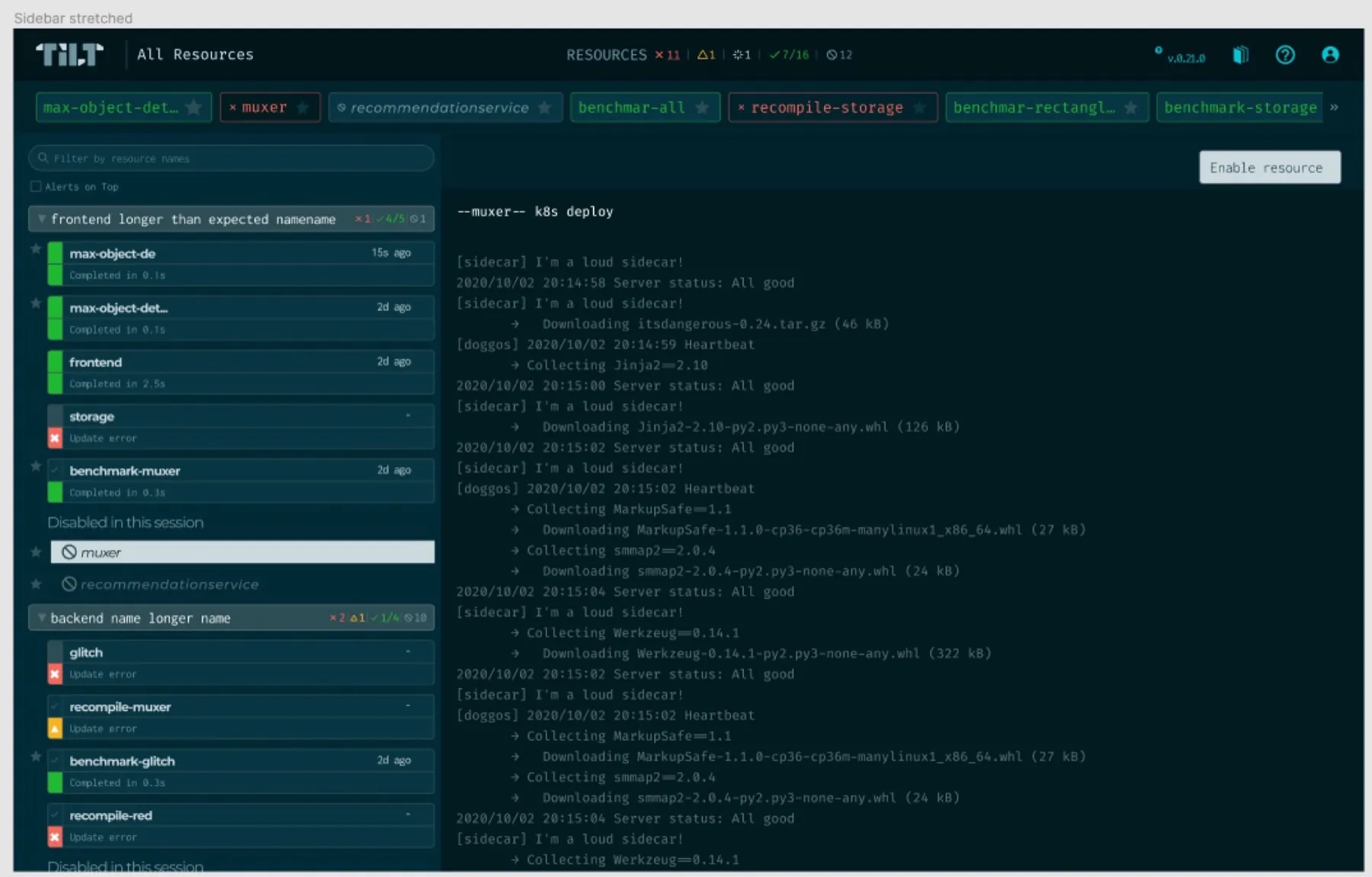
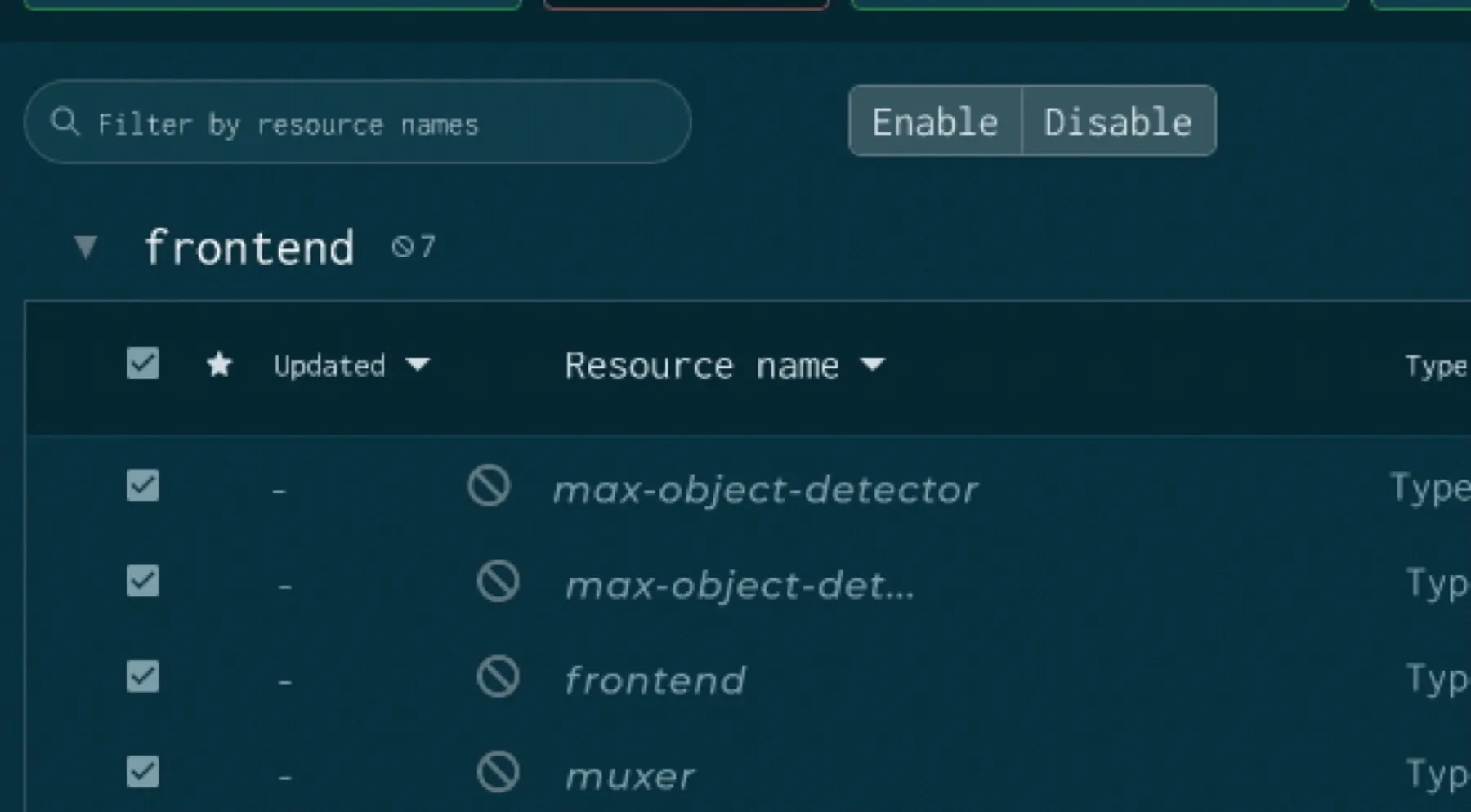
Defined what happens when only some selected services are disabled.
- Quiet by defaultHidden unless you choose to show them, still findable when filtering
- Hard to hit by accidentEasy to reach, with a confirm step that isn't annoying
- Readable when quietContrast and typeface for the disabled state
- A new button patternHover, clicked, focused, pressed and disabled
- Keyboard firstShortcuts for bulk actions and disable / enable
- RememberedPersistence across sessions, browser cache and both views
09After launch
Users loved it. The north star still waits.
- This makes it so much easier for me to focus on my current work.
- I no longer have to
tilt downevery time I switch services.
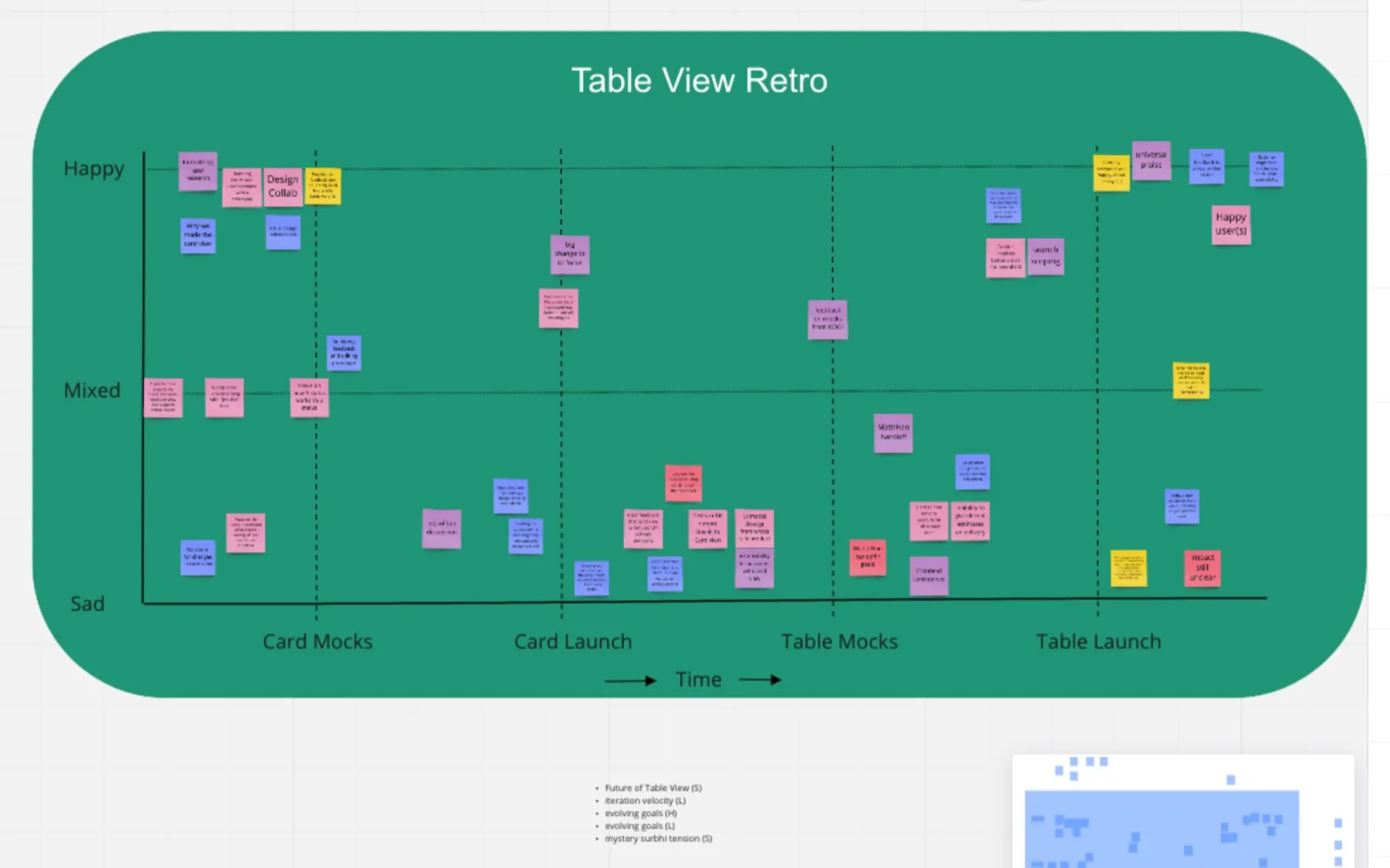
Beyond adoption, we heard first-hand and in surveys that it made services easier to manage and helped productivity. After launch I ran QA with engineers, tracked metrics in Grafana and docs analytics, followed up with clients, and held a retro with the team.
See our retro board and one more kudos
- It works brilliantly! Super excited for the rest of our team to experience the new UI/UX tomorrow!A Tilt user in our Slack, Jan 2022
A first glimpse of the catalog shipped: Tilt began listing every resource, even ones not running, as disabled and ready to wake. Then Docker acquired Tilt and my team moved on. I'd have taken the catalog further, to manage all resources, not just microservices. And honestly, I have many, many stories like this one.